
Step 1 of 7
How to Add a Customer
A customer record saves you retyping names and contact details on every quotation and invoice, and lets you attach a customer to an appointment.
Quick answer
Open Customers, tap Add Customer, enter a Name (the only required field) and tap Save.
What you'll need
- Just the customer’s name. Phone, email and address are optional and can be added later.
Steps
-
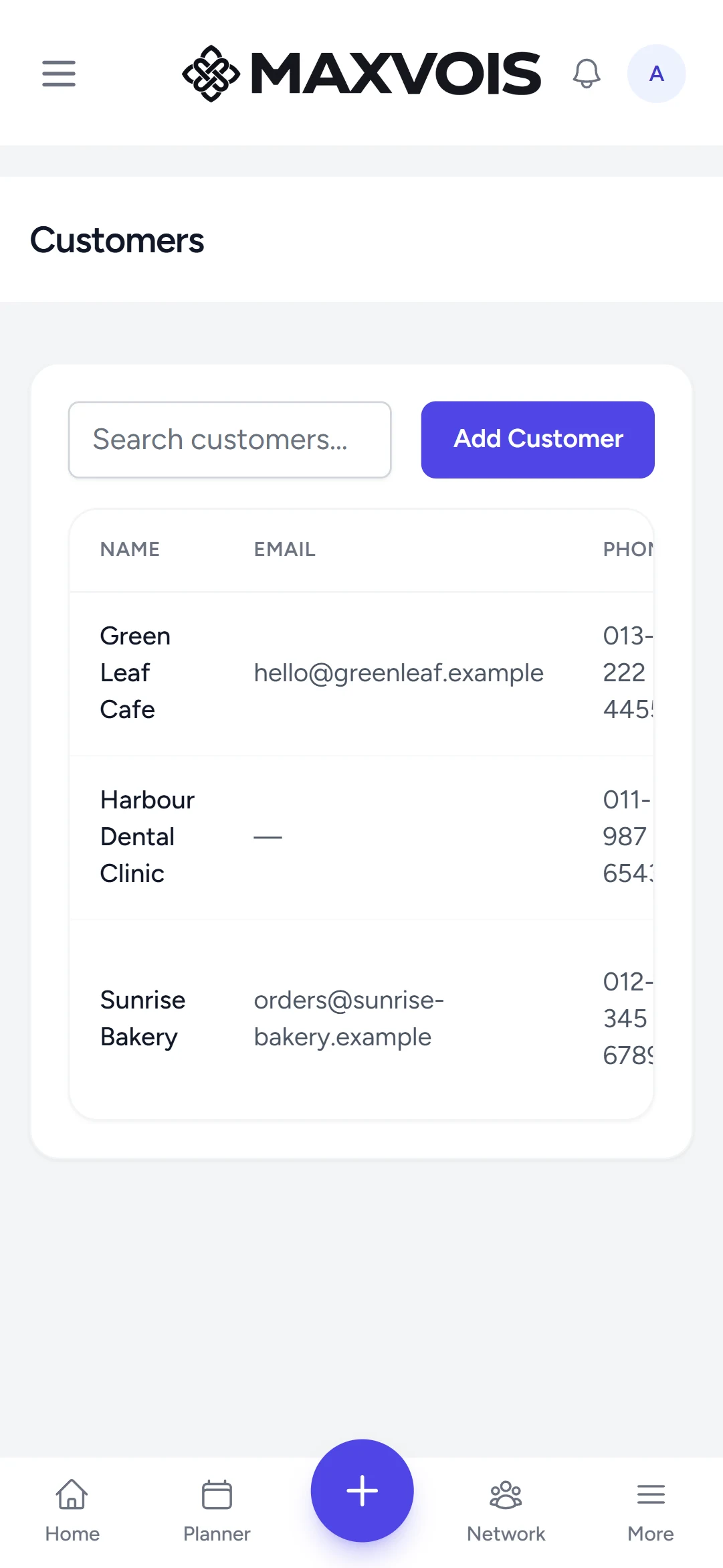
Open Customers
Tap More, then Customers. Or tap the + button and choose Add Customer to skip straight to the form.
-
Tap Add Customer
A short form opens.
-
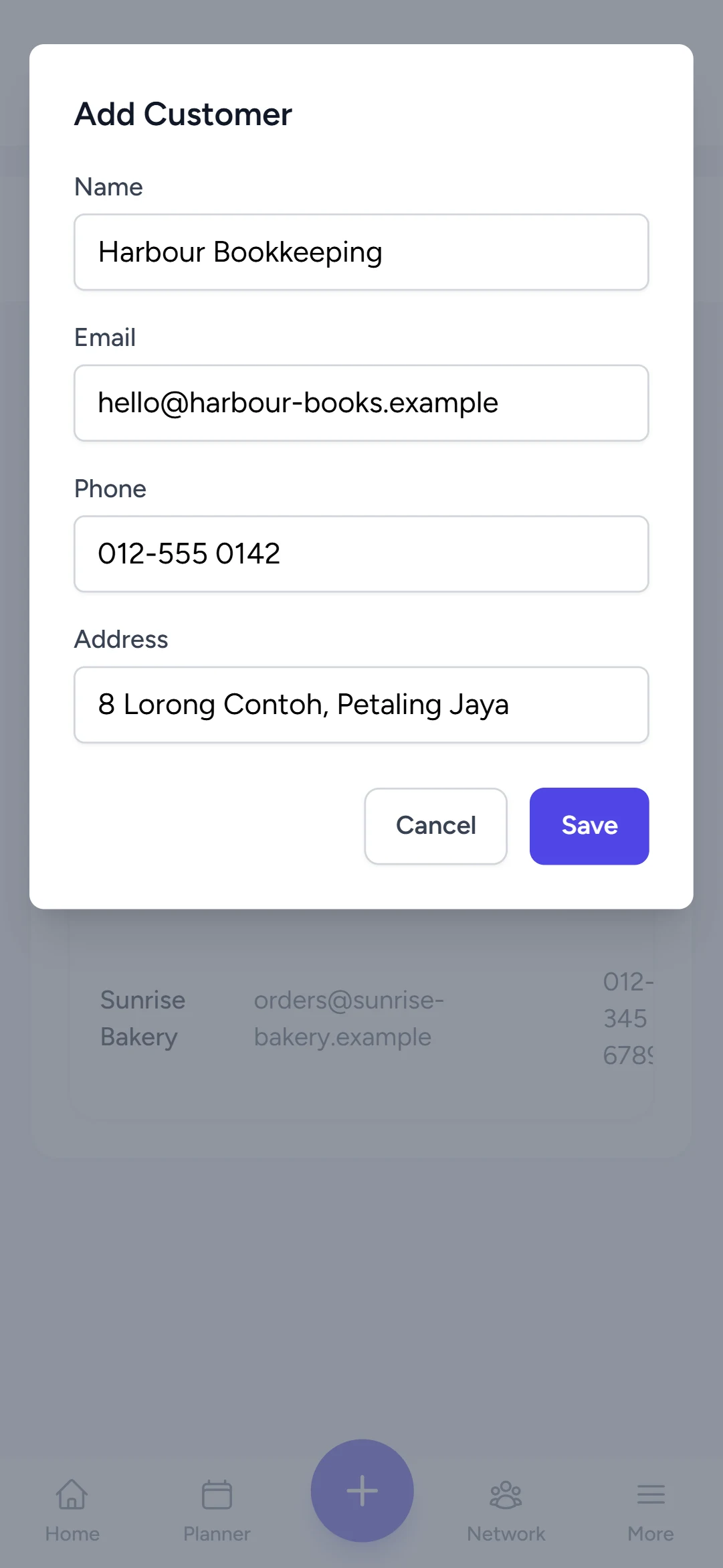
Fill in the details
Enter the Name. Add Phone, Email and Address if you have them — you will need an email to send documents by email later.
-
Save
Tap Save. The customer appears in your list; use Search customers to find them again, or Edit to change details.
Try it in Maxvois
Open CustomersYou'll be asked to log in or start a free account first, then you'll land right here in the app.